
Best WiFi Routers of 2026
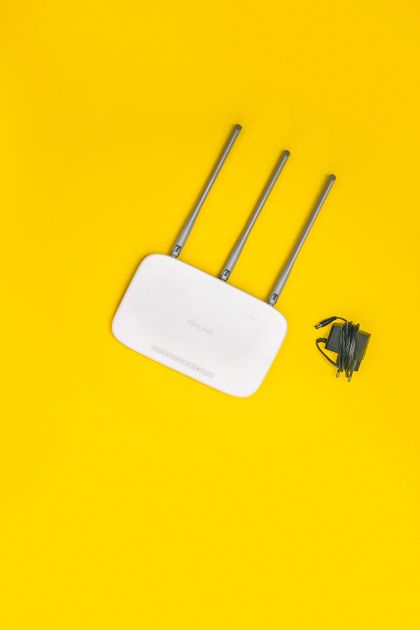
Photo via Pexels
Quick note: Supacells is an independent information site. We don’t sell routers. This article is educational only.
WiFi 7 (802.11be) launched in 2024 and has become mainstream by 2026. The router you choose affects every connected device’s speed, latency, and reliability. This guide covers the major categories of WiFi routers, what features matter, and how to choose.
Router Categories
| Category | Coverage | Price Range |
|---|---|---|
| Single router | Small home / apartment | $50–$300 |
| Mesh system (2-pack) | Medium home | $200–$700 |
| Mesh system (3-pack) | Large home | $300–$1,200 |
| Whole-home WiFi 7 | Large home, future-proof | $500–$2,000+ |
WiFi Standards in 2026
| Standard | Year | Max Speed | Notes |
|---|---|---|---|
| WiFi 5 (802.11ac) | 2014 | 3.5 Gbps | Older, still common |
| WiFi 6 (802.11ax) | 2019 | 9.6 Gbps | Mainstream |
| WiFi 6E | 2020 | 9.6 Gbps + 6GHz | Mid-range and up |
| WiFi 7 (802.11be) | 2024 | 46 Gbps | Newest, premium |
For most users, WiFi 6 is still plenty. WiFi 6E and WiFi 7 are increasingly worth it for flagship phones and gaming.
Top Single Routers
| Model | WiFi Standard | Best For |
|---|---|---|
| TP-Link Archer AX55 | WiFi 6 | Budget WiFi 6 |
| ASUS RT-AX86U Pro | WiFi 6 | Gaming + value |
| TP-Link Archer AXE75 | WiFi 6E | Mid-range with 6GHz |
| Netgear Nighthawk RAXE500 | WiFi 6E | High-performance |
| ASUS RT-BE96U | WiFi 7 | Premium WiFi 7 |
| TP-Link Archer BE800 | WiFi 7 | Top-tier WiFi 7 |
Top Mesh Systems
| System | WiFi Standard | Coverage |
|---|---|---|
| Eero 6 (3-pack) | WiFi 6 | Most homes |
| Google Nest WiFi Pro | WiFi 6E | Modern homes |
| TP-Link Deco XE75 | WiFi 6E | Value mesh |
| Amazon Eero Pro 6E | WiFi 6E | Premium WiFi 6E |
| ASUS ZenWifi BT8 | WiFi 7 | Future-proof |
| Eero Max 7 | WiFi 7 | Premium WiFi 7 |
| Netgear Orbi 970 | WiFi 7 | Top-tier mesh |
How to Choose
| Question | Lean Toward |
|---|---|
| Apartment under 1,000 sq ft | Single router |
| House under 2,000 sq ft | Single router or 2-pack mesh |
| House 2,000–4,000 sq ft | 2–3 pack mesh |
| House over 4,000 sq ft | 3+ pack mesh |
| Just want it to work | Eero (any tier) |
| Want customization | ASUS or Netgear |
| Budget conscious | TP-Link |
| Future-proof for 5+ years | WiFi 7 mesh |
Key Features to Compare
| Feature | Why Important |
|---|---|
| WiFi standard (5, 6, 6E, 7) | Affects max speed, capacity |
| Coverage area | Match to home size |
| Number of streams | More devices simultaneously |
| Ethernet ports | Wired connections |
| Multi-gig WAN | For 1+ Gbps internet |
| MU-MIMO | Multiple devices at once |
| OFDMA | Better high-density performance |
| Beamforming | Stronger signal to specific devices |
| Tri-band / quad-band | More 5GHz/6GHz capacity |
| Easy setup app | Convenience |
| Parental controls | Family use |
| Gaming features (QoS) | Gaming priority |
| Security (WPA3, automatic updates) | Important |
When to Upgrade
| Current Router | When to Upgrade |
|---|---|
| WiFi 4 (any) | Now |
| WiFi 5 / 802.11ac | Soon, especially if gigabit internet |
| WiFi 6 (basic) | Wait unless coverage issues |
| WiFi 6E | Long lifespan |
| WiFi 7 | Cutting edge for years |
If your router is 5+ years old, upgrade is usually worthwhile.
Mesh vs Single Router
| Factor | Single Router | Mesh |
|---|---|---|
| Coverage | Limited | Expandable |
| Cost | Lower | Higher |
| Setup complexity | Simple | Slightly more |
| Roaming between APs | None | Seamless |
| Best for | Small homes | Larger homes |
For homes 2,000+ sq ft or with multiple floors, mesh usually wins.
Cost Comparison
| Type | Initial Cost | Lifespan |
|---|---|---|
| ISP-rented modem/router | $0 down, $10–$15/month | Until you cancel |
| Single WiFi 6 router | $80–$200 | 5+ years |
| Mesh WiFi 6 (3-pack) | $250–$500 | 5+ years |
| WiFi 6E mesh | $350–$700 | 5–7 years |
| WiFi 7 mesh (premium) | $700–$1,500 | 7+ years |
Buying often pays back in months vs renting from ISP.
Budget vs Premium Routers
Budget ($50–$150)
- Adequate for most households
- WiFi 6 capability
- Basic security features
- Limited future-proofing
Mid-range ($150–$400)
- WiFi 6 or 6E
- Better range
- More features
- Mesh option
Premium ($400+)
- WiFi 7
- Maximum speed
- Multi-gig WAN
- Advanced features (QoS, gaming)
- Long lifespan
Recommended Setup by Household
| Household | Recommended |
|---|---|
| 1 person, apartment | Eero 6 single or Archer AX55 |
| Couple, small home | Eero 6 2-pack or single WiFi 6 |
| Family, 2,000 sq ft | Eero 6 3-pack or Nest WiFi Pro |
| Large home, multi-floor | Eero Max 7 or Orbi 970 |
| Heavy gamers | ASUS ROG router with WiFi 6E/7 |
| Smart home with cameras | WiFi 6E mesh |
ISP Rental vs Buying
ISP-rented router:
- Pros: No upfront cost, support included
- Cons: $10–$15/month forever, often basic features
Owning your own:
- Pros: Better features, pays back fast
- Cons: $100–$700 upfront
If staying with ISP 1+ year, buying usually wins on cost.
See Understanding Internet Provider Pricing.
Helpful Resources
📖 Wi-Fi Alliance — official WiFi standards info.
📖 FCC WiFi Information — regulatory and consumer info.
📖 Reviews: Wirecutter, Tom’s Guide, RTINGS for current router reviews.
Common Router Buying Mistakes
- Buying ISP-rented router when buying pays back fast
- Underbuying for home size
- Overbuying WiFi 7 when WiFi 6 fits
- Ignoring mesh for large homes
- Skipping security features (WPA3, auto-updates)
- Choosing on speed alone without considering coverage
- Not configuring properly (default settings often suboptimal)
FAQ — Best WiFi Routers
Q: Is WiFi 7 worth it? A: For most users, no immediate benefit. WiFi 6 still excellent. WiFi 7 worth it for future-proofing, top-tier gaming, or 1+ Gbps internet.
Q: Mesh or single router? A: Single for under 2,000 sq ft. Mesh for larger or multi-floor homes.
Q: Eero or Netgear or ASUS? A: Eero for simplicity. Netgear for premium features. ASUS for customization and gaming.
Q: Should I buy or rent from ISP? A: Buy if staying with ISP 12+ months. Pays back in 8–18 months typically.
Q: How long do routers last? A: 5–7 years typical. Wireless standards evolve, so upgrading every 5 years keeps you current.
Related Reading on Supacells
- Mesh WiFi vs Single Router
- WiFi 6 vs WiFi 7: Key Differences
- How to Boost WiFi Signal at Home
- Best WiFi Routers for Gaming
- Best WiFi Mesh Systems for Large Homes
Bottom Line
For most households in 2026, WiFi 6 mesh systems (Eero 6 3-pack, Nest WiFi Pro) offer best value. WiFi 7 is for future-proofing and premium use cases. Buy your own router if staying with ISP 12+ months — pays back in 8–18 months. Match coverage to home size; don’t overbuy speeds you can’t use.
Disclaimer: This article is for informational and educational purposes only. Supacells does not sell routers or networking equipment.
By Supacells Editorial · Updated May 9, 2026
- wifi router
- best router
- WiFi 7