
Mesh WiFi vs Single Router: Which Is Right? (2026)
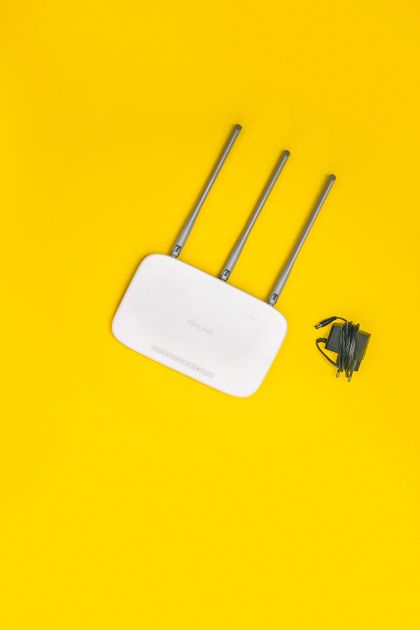
Photo via Pexels
Quick note: Supacells is an independent information site. We don’t sell routers. This article is educational only.
The choice between a single high-end WiFi router and a mesh system comes down to three things: home size, layout, and budget. Single routers cost less but cover less area. Mesh systems cover more but cost more. Knowing which fits your home prevents both overspending and frustrating dead zones.
At a Glance
| Feature | Single Router | Mesh System |
|---|---|---|
| Cost | $50–$300 | $200–$1,500 |
| Coverage | 1,000–2,500 sq ft typical | 3,000–7,500+ sq ft |
| Setup complexity | Simple | Slightly more complex |
| Roaming between APs | N/A | Seamless |
| Best for | Apartments, small homes | Larger homes, multi-floor |
| Wired backhaul option | N/A | Some support |
Single Router Strengths
- Lower cost — $50–$300 vs $200–$1,500 for mesh
- Simpler setup — one device to configure
- Often higher peak speeds at one location
- Less complex for non-technical users
- Can be customized more easily for power users
- Single point of failure but also single point of control
Single Router Weaknesses
- Limited coverage — typically 1,000–2,500 sq ft effective
- Dead zones in larger homes
- Walls reduce signal dramatically
- Multi-floor homes often have weak upstairs signal
- Heavy WiFi devices may overload single radio
Mesh System Strengths
- Whole-home coverage — multiple access points
- Seamless roaming as you move
- Easier to expand by adding nodes
- Better for large homes and multi-floor
- Modern apps for easy management
- Self-healing — if one node fails, others compensate
Mesh System Weaknesses
- Higher cost initially
- Sometimes slower than single router at any one location
- Can be over-engineered for small homes
- More devices to power and manage
- Wireless backhaul can reduce performance
Coverage by Home Size
| Home Size | Best Choice |
|---|---|
| Apartment (under 1,000 sq ft) | Single router |
| Small home (1,000–2,000 sq ft) | Single router or 2-pack mesh |
| Medium home (2,000–3,500 sq ft) | 2–3 pack mesh |
| Large home (3,500–5,000 sq ft) | 3-pack mesh |
| Very large (5,000+ sq ft) | 3–4 pack mesh or wired access points |
Multi-Floor Considerations
WiFi signal weakens through floors:
- One floor below: ~30% signal loss
- Two floors below: ~60% signal loss
For multi-floor homes:
- 2-story home: usually 2-pack mesh sufficient
- 3-story home: 3-pack mesh recommended
- Place nodes near floor center
Building Materials Matter
| Material | Signal Loss |
|---|---|
| Drywall | Minimal |
| Wood floor | Modest |
| Brick | Significant |
| Concrete | Severe |
| Metal | Severe |
| Plaster (older homes) | Moderate |
Older homes with plaster walls or brick benefit more from mesh.
Wired Backhaul Mesh
Premium mesh systems support wired backhaul (Ethernet between nodes):
| Backhaul Type | Performance |
|---|---|
| Wireless | Good but reduces capacity |
| Wired (Ethernet) | Best — full speed at each node |
| Powerline | OK — varies by wiring quality |
If your home has Ethernet to multiple rooms, wired backhaul mesh delivers best performance.
Top Mesh Systems
| System | Best For |
|---|---|
| Eero 6 | Simplicity, mainstream |
| Eero Pro 6E | Premium WiFi 6E |
| Eero Max 7 | Top-tier WiFi 7 |
| Google Nest WiFi Pro | Google Home users |
| TP-Link Deco XE75 | Value WiFi 6E |
| ASUS ZenWifi | Customization |
| Netgear Orbi 970 | Top WiFi 7, gaming |
Top Single Routers
| Router | Best For |
|---|---|
| TP-Link Archer AX55 | Budget WiFi 6 |
| ASUS RT-AX86U Pro | Gaming + value |
| TP-Link Archer AXE75 | WiFi 6E mid-range |
| Netgear Nighthawk RAXE500 | High-performance |
| ASUS RT-BE96U | Premium WiFi 7 |
Mesh Brand Differences
| Brand | Strength |
|---|---|
| Eero (Amazon) | Simplicity, AppStore-style updates |
| Google Nest | Google Home integration |
| TP-Link Deco | Value, broad lineup |
| ASUS ZenWifi | Customization, gaming |
| Netgear Orbi | Premium performance |
Setup Complexity
| Type | Setup Time |
|---|---|
| Single router (modern) | 10–20 minutes |
| Mesh system | 20–45 minutes |
| Custom router (DD-WRT, OpenWrt) | 1–4 hours |
Most modern routers and mesh systems use mobile apps for setup.
Configuration Tips
For best WiFi:
- Place primary router centrally in home
- Mesh nodes 1–2 rooms apart (not too far)
- Avoid corners for primary router
- Elevate (not on floor)
- Away from microwaves, baby monitors that interfere
- Update firmware regularly
- Use 5GHz/6GHz for fast devices, 2.4GHz for IoT
When Mesh Doesn’t Help
Some scenarios mesh doesn’t solve:
- Very old phones with WiFi 4 — bottleneck is device
- Bottlenecked internet (slow plan) — mesh doesn’t make internet faster
- Single-room use — overkill
- Wired devices — Ethernet faster than WiFi anyway
When Single Router Doesn’t Suffice
Single router fails when:
- Multiple dead zones in home
- Multi-floor with poor coverage upstairs
- Many simultaneous users in spread-out home
- Large-area outdoor coverage needed (consider outdoor mesh)
Helpful Resources
📖 Wi-Fi Alliance — official WiFi info.
📖 FCC WiFi — regulatory information.
📖 Router manufacturer support — for setup help.
FAQ — Mesh WiFi vs Single Router
Q: Is mesh always better than single router? A: For larger homes yes. For apartments and small homes, single router is often better and cheaper.
Q: How many mesh nodes do I need? A: One node per 1,500–2,000 sq ft typically. 2-pack for medium, 3-pack for large homes.
Q: Can I use mesh with my existing modem? A: Yes — mesh systems work with any modem. Just connect primary node to modem via Ethernet.
Q: Is WiFi 7 mesh worth it? A: For most homes, WiFi 6 mesh is sufficient. WiFi 7 worth it for future-proofing and premium needs.
Q: Will mesh fix my slow internet? A: No — mesh fixes WiFi coverage. If internet line speed is slow, you need a faster plan.
Related Reading on Supacells
- Best WiFi Routers of 2026
- WiFi Extenders: How They Work
- How to Boost WiFi Signal at Home
- WiFi 6 vs WiFi 7: Key Differences
- Best WiFi Mesh Systems for Large Homes
Bottom Line
Single router for apartments and small homes (under 2,000 sq ft) — cheaper, simpler. Mesh for larger homes, multi-floor, or coverage-challenged layouts. Modern mesh systems (Eero, Nest, TP-Link Deco) make setup easy. Wired backhaul mesh delivers best performance if your home has Ethernet to multiple rooms.
Disclaimer: This article is for informational and educational purposes only. Supacells does not sell routers or networking equipment.
By Supacells Editorial · Updated May 9, 2026
- mesh wifi
- single router
- comparison