
WiFi Extenders: How They Work and When to Use (2026)
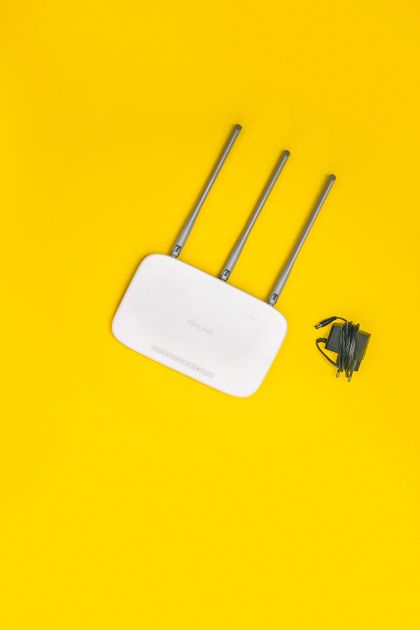
Photo via Pexels
Quick note: Supacells is an independent information site. We don’t sell networking equipment. This article is educational only.
WiFi extenders (also called repeaters or range extenders) receive your existing WiFi signal and rebroadcast it to extend coverage. They’re cheap and simple but have meaningful trade-offs vs mesh systems. This guide explains when each works best.
How WiFi Extenders Work
| Step | Process |
|---|---|
| 1 | Plug extender into outlet within range of router |
| 2 | Extender connects to router’s WiFi |
| 3 | Extender broadcasts WiFi to nearby devices |
| 4 | Devices connect to extender for signal |
The extender is a relay — it takes signal in, sends signal out.
Trade-Offs of Extenders
| Pro | Con |
|---|---|
| Cheap ($20–$80) | Often slows speeds (50%+) |
| Simple setup | Devices must roam manually |
| Extends existing WiFi | Adds latency |
| Plug-and-play | Limited management |
The big issue: most extenders halve your WiFi speed because they communicate to the router on the same frequency they broadcast to devices.
Speed Impact
If router delivers 300 Mbps to area:
| Setup | Effective Speed |
|---|---|
| Direct router connection | 300 Mbps |
| Through basic extender | ~120 Mbps |
| Through tri-band extender | ~250 Mbps |
| Through mesh node (wireless backhaul) | ~200 Mbps |
| Through mesh node (wired backhaul) | ~290 Mbps |
For dramatically better speeds, mesh with wired backhaul wins.
When Extenders Make Sense
Extenders work for:
- Single dead zone in otherwise-covered home
- Budget under $50 for fix
- IoT devices that don’t need fast WiFi (smart bulbs, sensors)
- Temporary fix while planning permanent solution
- Renters who can’t run Ethernet
When Mesh Beats Extenders
Mesh wins when:
- Multiple dead zones in home
- Whole-home coverage needed
- Modern devices that benefit from fast WiFi
- Roaming needed between coverage areas
- Budget allows $200+
When Wired Access Points Are Best
If you have Ethernet wiring throughout home:
- Best performance — full speed at each access point
- No wireless backhaul speed loss
- More expensive initially
- Requires wired connections to each AP
Top WiFi Extenders
| Model | Best For |
|---|---|
| TP-Link RE315 | Basic dead zone fix, $25 |
| Netgear EX6200 | Mid-range, $60 |
| TP-Link RE715X (WiFi 6) | WiFi 6 extension, $80 |
| ASUS RP-AX58 | WiFi 6, premium |
How to Set Up an Extender
| Step | Action |
|---|---|
| 1 | Plug extender near router (test setup) |
| 2 | Connect via app or web interface |
| 3 | Enter your WiFi password |
| 4 | Move extender to dead zone area |
| 5 | Verify signal at intended location |
Most extenders show signal strength to help you find good placement.
Extender Placement
| Where | Result |
|---|---|
| Too close to router | Wastes coverage potential |
| Too far from router | Weak signal to extend |
| Sweet spot: ~50% signal | Best balance |
| Same floor as router | Better signal |
| Different floor | Reduced effectiveness |
Same SSID vs Different SSID
| Approach | Pros | Cons |
|---|---|---|
| Same SSID as router | Devices auto-connect | Sometimes stuck on weaker signal |
| Different SSID (e.g., “Network_EXT”) | Manual control | Manual switching |
Modern extenders default to same SSID. Some users prefer different SSID for control.
Extender Limitations
| Limitation | Impact |
|---|---|
| Half speed typical | Major |
| Single point of failure | Goes down, area loses signal |
| Limited devices per extender | Maxes out |
| No seamless roaming | Devices may stick to weak signal |
| Outdated security | Cheap extenders may not have WPA3 |
| Manual configuration | Less convenient |
When to Replace Extender With Mesh
Consider mesh upgrade when:
- Multiple extenders becoming complex
- Roaming issues
- Speed loss noticeable
- Budget allows mesh investment
- Adding more smart devices
Mesh systems pay back in better experience over years.
Powerline Extenders (Alternative)
Powerline networking uses electrical wiring:
| Pros | Cons |
|---|---|
| Doesn’t share WiFi bandwidth | Speed varies by wiring quality |
| Works through walls/floors | Requires same circuit |
| No WiFi signal degradation | Older houses sometimes poor performance |
See Powerline Adapters vs Mesh WiFi.
Common Extender Mistakes
- Placing too far from router — weak signal extension
- Using older WiFi 4 extender with modern router
- Multiple extenders chained — speeds compound badly
- Ignoring tri-band options — significant speed improvement
- Treating extender as mesh substitute — different products
- Not securing properly — separate security setup needed
Helpful Resources
📖 Wi-Fi Alliance — official WiFi info.
📖 FCC WiFi — regulatory information.
📖 Manufacturer support — for product-specific setup.
Cost Comparison
| Solution | Initial Cost | Speed |
|---|---|---|
| Basic extender | $25 | 50% loss |
| Tri-band extender | $80–$150 | Minimal loss |
| WiFi 6E mesh (3-pack) | $300–$600 | Minimal loss |
| Wired access points | $150–$400 | No loss |
Pick based on home size and budget.
FAQ — WiFi Extenders
Q: Do WiFi extenders slow down WiFi? A: Most basic extenders halve speeds. Tri-band extenders maintain more speed.
Q: Extender or mesh? A: Mesh is generally better for whole-home coverage. Extender for single dead zone or tight budget.
Q: How far does WiFi extender reach? A: Typically extends coverage 1,000–2,000 sq ft beyond router. Depends on building materials.
Q: Should I use the same network name as router? A: Modern extenders default to same SSID for seamless connection. Devices auto-connect to strongest available.
Q: Will WiFi extender fix my slow internet? A: No — only fixes coverage, not internet speed. Internet plan + router determine max speed.
Related Reading on Supacells
- Best WiFi Routers of 2026
- Mesh WiFi vs Single Router
- How to Boost WiFi Signal at Home
- WiFi 6 vs WiFi 7: Key Differences
- Powerline Adapters vs Mesh WiFi
Bottom Line
WiFi extenders fix single dead zones cheaply. Most basic extenders halve your WiFi speed. Tri-band extenders maintain more speed. For whole-home coverage, mesh systems are usually better despite higher cost. Wired access points are best if you have Ethernet wiring throughout home.
Disclaimer: This article is for informational and educational purposes only. Supacells does not sell networking equipment.
By Supacells Editorial · Updated May 9, 2026
- wifi extender
- range extender
- WiFi range