
5G Home Internet Explained (2026)
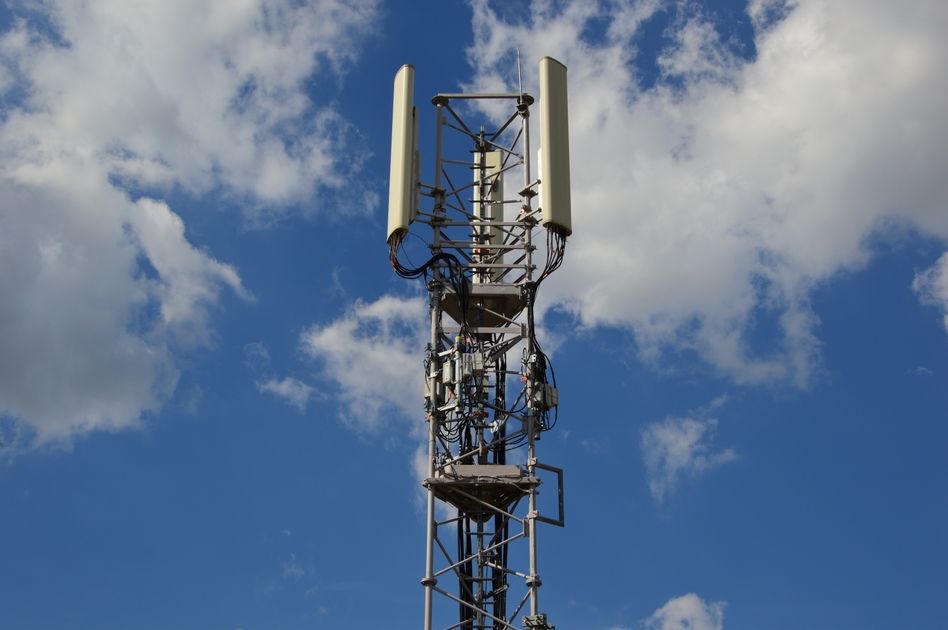
Photo by Ulrick Trappschuh on Pexels
Quick note: Supacells is an independent information site. We don’t sell internet service. This article is educational only.
5G home internet uses cellular 5G signal — the same network powering your phone — as your home’s broadband connection. A modem at your home connects to nearby cell towers wirelessly. By 2026, 5G home internet has emerged as a credible alternative to cable, especially in suburbs and outlying areas.
How 5G Home Internet Works
| Step | What Happens |
|---|---|
| 1 | Modem placed in your home |
| 2 | Modem connects wirelessly to nearby 5G cell tower |
| 3 | Modem broadcasts WiFi to your devices |
| 4 | All internet traffic flows through cellular network |
No cables to the street, no installation truck. Plug it in and go.
Major 5G Home Internet Providers
| Provider | Speed | Cost | Best For |
|---|---|---|---|
| T-Mobile Home Internet | 50–415 Mbps | $50/mo | Best price, broad coverage |
| Verizon 5G Home | 85–1000 Mbps | $50–$80/mo | Higher speeds, urban |
| AT&T Internet Air | 25–300 Mbps | $55/mo | AT&T mobile customers |
| Starry Internet (defunct) | N/A | N/A | (Closed 2023) |
Pros and Cons
Pros
- No installation — modem ships, plug in
- No contracts at major providers
- No equipment fees included
- No data caps typically
- Take with you when moving
- Often cheaper than cable
- Competitive speeds in covered areas
Cons
- Speed varies with tower distance, congestion
- Coverage limited to 5G areas
- Indoor signal sometimes weak
- Less consistent than fiber
- Latency higher than fiber
Real-World Speeds
5G home internet speeds depend on:
| Factor | Impact |
|---|---|
| Tower distance | Closer = faster |
| Building materials | Brick/concrete attenuate signal |
| Tower congestion | Peak hours slower |
| Type of 5G (mid-band vs low-band) | Mid-band much faster |
| Weather | Some impact on mmWave |
| Modem location | Place near window if possible |
Same address, same provider — speeds can vary 50–500 Mbps depending on these factors.
Coverage Check Before Subscribing
Each provider’s site lets you check 5G home internet coverage at your specific address. Process:
- Enter your address
- System checks tower coverage and capacity
- If available, you can order
- If not available, you’re on waitlist (sometimes)
Don’t assume coverage based on phone 5G — home internet uses different equipment and may have different availability.
5G Home vs Cable Internet
| Feature | 5G Home | Cable |
|---|---|---|
| Installation | None (self-setup) | Often requires technician |
| Cost | $50–$80/month | $50–$100/month + fees |
| Speed range | 50–1000 Mbps | 100–2000 Mbps |
| Latency | 20–40 ms | 15–30 ms |
| Data caps | Usually none | Often 1.2 TB cap |
| Contract | Usually none | Sometimes |
| Equipment fees | Included | $10–$15/month |
| Portability | Take with you | Building-specific |
For typical households, 5G home internet often costs less and performs comparably.
5G Home vs Fiber
| Feature | 5G Home | Fiber |
|---|---|---|
| Speed | Up to 1 Gbps | Up to 10 Gbps |
| Latency | 20–40 ms | <10 ms |
| Symmetric speeds | Asymmetric | Symmetric |
| Availability | Limited to coverage | Limited to wired areas |
| Reliability | Variable | Most reliable |
Fiber wins on performance when available. 5G home wins on availability where fiber isn’t deployed.
Best for 5G Home Internet
| Profile | Why It Works |
|---|---|
| Renters (move often) | Portable service |
| Cost-conscious | $50/month flat |
| Casual streaming + browsing | Sufficient speeds |
| Apartment dwellers | No install hassle |
| Suburban / outlying areas | Cable not great there |
| People between fiber and cable | Best middle option |
Not Best For
| Profile | Why Cable/Fiber Better |
|---|---|
| Heavy gamers (competitive) | Variable latency |
| Live streamers | Upload variability |
| 24/7 reliability needs | More signal variability |
| Many simultaneous heavy users | Bandwidth variability |
| Apartments far from window | Signal penetration |
Setup Process
| Step | Time |
|---|---|
| Order online | 10 minutes |
| Receive modem | 1–3 days shipping |
| Plug in modem | 5 minutes |
| Wait for connection | 5–15 minutes |
| Connect devices | 10–30 minutes |
| Test speeds | 5 minutes |
| Total | 1–4 days vs cable’s 1–2 weeks |
Tips for Best 5G Home Performance
- Place modem near window facing nearest cell tower
- Try different rooms if speeds vary
- Use modem’s WiFi (often newer than your old router)
- Or pair with your own router via Ethernet
- Update firmware if speeds slow over time
- Reboot weekly if needed
- Use 5GHz WiFi for devices that support it
When to Stick with Cable / Fiber
Consider keeping wired:
- Heavy gaming with latency requirements
- Live streaming for hours daily
- Multiple simultaneous 4K streams during peak hours
- Need ultra-reliable connection (medical equipment, security)
- 1 Gbps+ consistent speeds required
Helpful Resources
📖 FCC Broadband Map — coverage data.
📖 T-Mobile Home Internet — coverage check.
📖 Verizon 5G Home — coverage check.
📖 AT&T Internet Air — coverage check.
FAQ — 5G Home Internet
Q: Is 5G home internet good? A: For most users yes — comparable speeds to cable, lower cost, no contracts. Variable depending on signal at your address.
Q: Can I really replace cable with 5G home? A: For many users yes. Test the trial period before canceling cable to verify your specific situation works.
Q: Does 5G home internet count against my phone data? A: No — separate service. Some carriers offer discounts if you have both phone and home internet.
Q: What if my 5G home internet doesn’t work well? A: All major providers offer 15–30 day trial periods. Cancel if not satisfied.
Q: Does weather affect 5G home internet? A: Slight impact on mmWave; minimal impact on mid-band and sub-6.
Related Reading on Supacells
- 5G Technology Explained
- 5G vs 4G LTE: Real-World Differences
- Best Internet Providers for Rural Areas
- Cable vs Fiber vs DSL vs Satellite
- Best Internet Providers of 2026
Bottom Line
5G home internet is now a real alternative to cable for many households. T-Mobile Home Internet at $50/month is the best price/value. Verizon 5G Home offers higher speeds in some areas. No-install, no-contract model makes it especially good for renters and apartment dwellers. Test the trial period before committing to cancel existing service.
Disclaimer: This article is for informational and educational purposes only. Supacells does not sell internet service. For coverage at your address, check provider websites directly.
By Supacells Editorial · Updated May 9, 2026
- 5G home internet
- fixed wireless